
What you write
WEB-142 homepage layout (2.25h), Standup (0.25h),
- Write hours as (1.5h) or (0.25h). (1,5h), (30min) and (1:30h) work too.
- An entry that names two tickets gives each of them half of its hours.
Guide · Not on sale yet
Freelime is a billable hours tracker in your Mac's menu bar. Write what you did next to the hours you bill, like “WEB-142 homepage layout (2.25h)”. Freelime adds them up, compares them with your tracked time and turns them into a summary your client can follow.
Free to join. Freelime isn't on sale yet, the price isn't set, and it needs a Mac with Apple silicon.
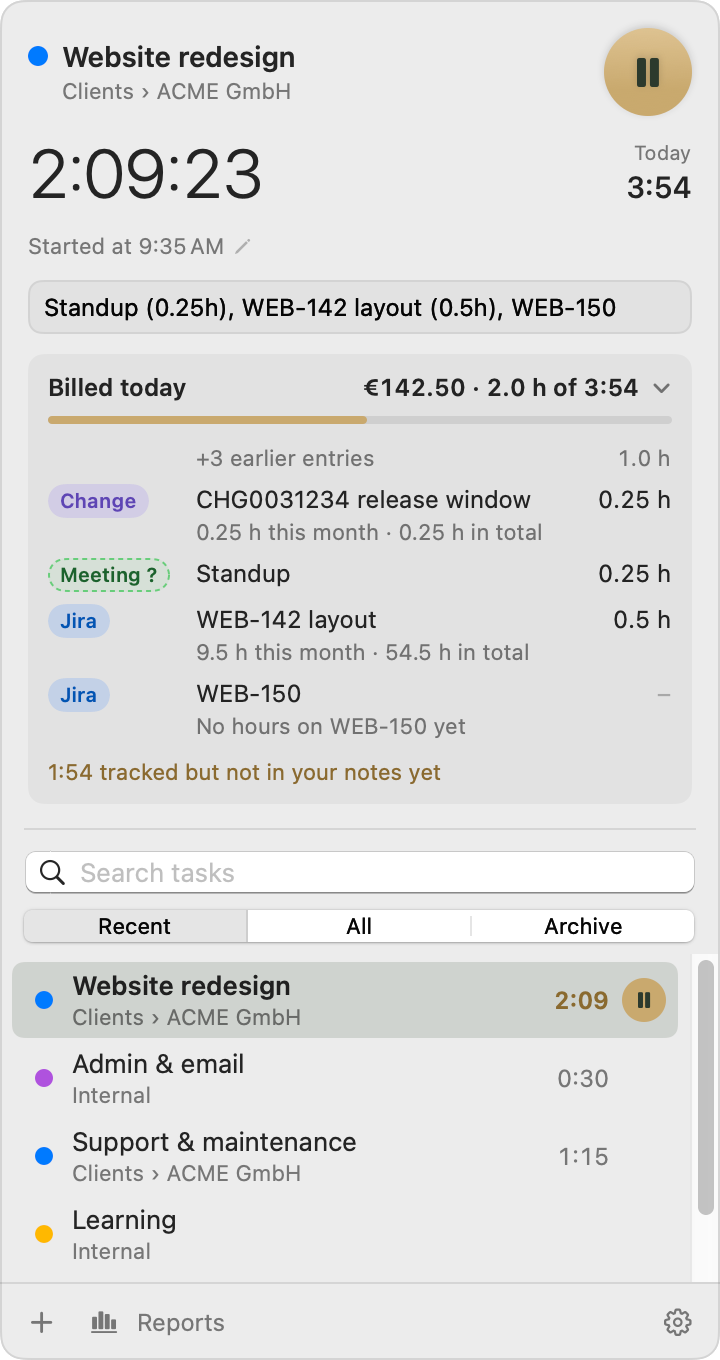
The panel with Billed today open. Names, hours and amounts are sample data.
The notes
Notes are a list of entries, separated by commas. Put the hours you bill in parentheses at the end of each one.
WEB-142 homepage layout (2.25h), Standup (0.25h),
What gets billed
You don't have to write hours (see the FAQ). Every session bills one of two things, its billing basis.
For everything, use the switch “Bill the hours written in notes” in Settings › Billing. For one folder or task, use Rate & Billing… in its right-click menu. Folders pass their choice on to their tasks. Billed and paid sessions never change, and a change that would alter unbilled sessions asks first.
Rounding rules
In the panel, under your notes
The hours billed so far and what they bill, next to your tracked time, like “€142.50 · 2.0 h of 3:54”.
A bar shows how much of your tracked time is in your notes. Under it, a line like “1:54 tracked but not in your notes yet”.
Billed more than you tracked? It says so without a warning. Hours move between days.
Click the card or press ⌘B to list them with their categories and, for tickets, the hours this month and in total.
If every session today bills its tracked time, there's nothing to write down: the card shows just the hours and the amount.
The daily check
Some days you bill more than you tracked, some less, for example when a client limits the hours per day. The Work Log's daily check shows where each day stands.
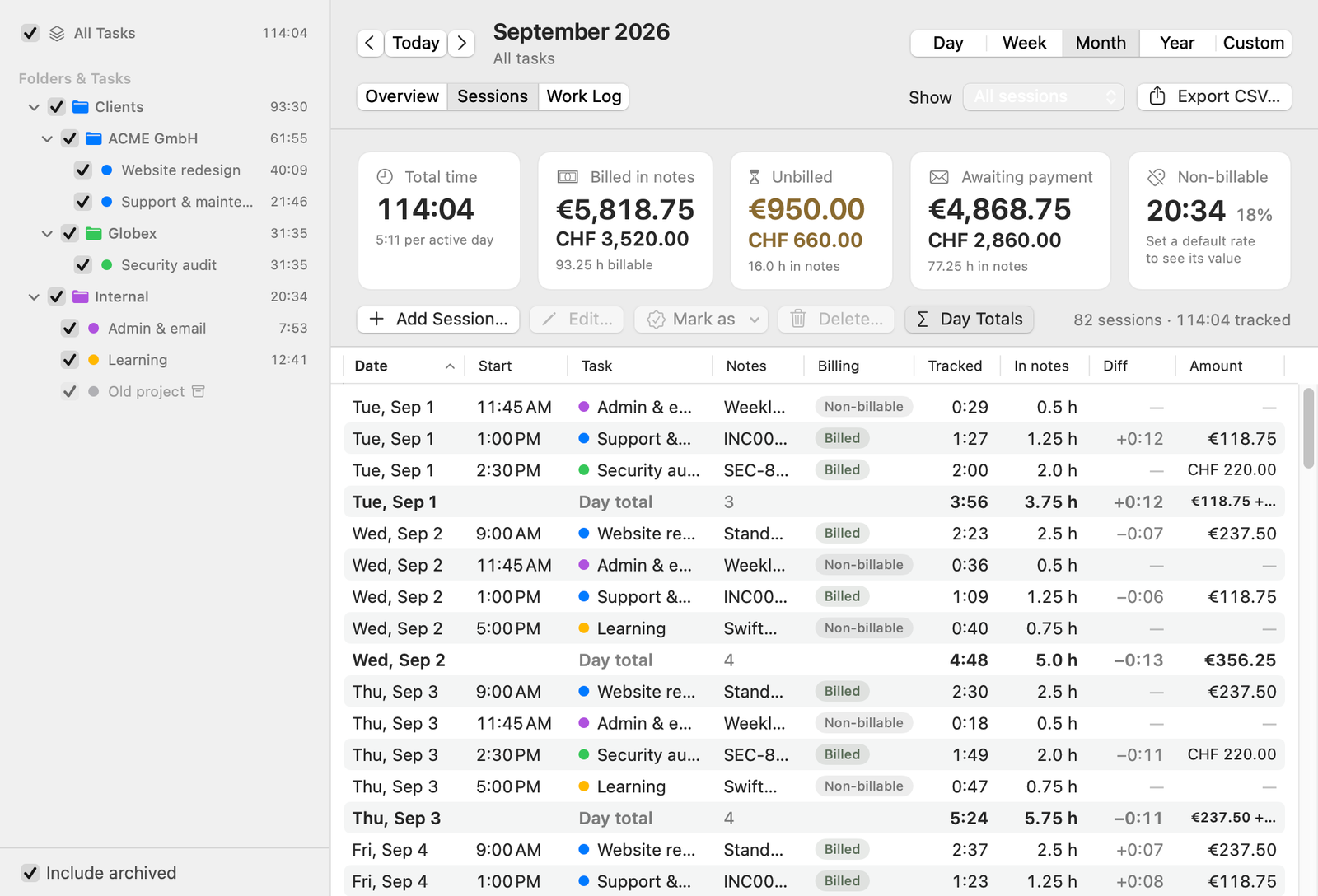
Reports › Sessions with Day Totals on: tracked time, hours in notes and the difference, per session and per day. Sample data.
Billing status
Every session is Non-billable, Unbilled, Billed or Paid. Billed means it's on an invoice and the payment hasn't come in. Paid means it has.
Billable work that isn't on an invoice yet.
Choose Mark as › Billed… and a date: today, one you pick, the last day of each session's month, or day N of the next month.
Choose Mark as › Paid… and the date the payment came in, for one invoice or a whole history at once.
In Reports › Sessions, select sessions and use Mark as. Freelime doesn't write the invoice itself.
Why bill from notes
Your notes already say what you did, so the hours you bill become the entries on your client's summary.
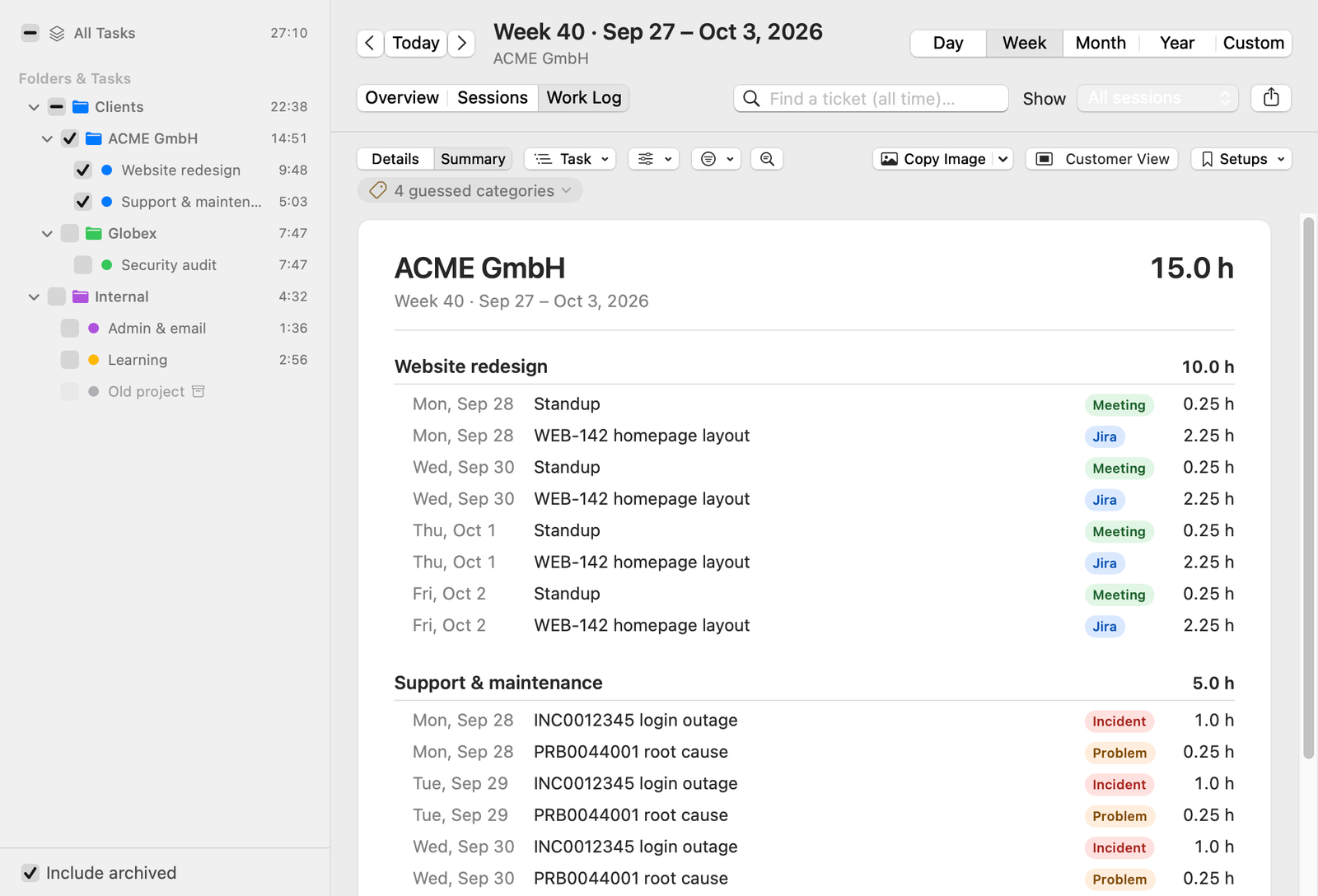
A Work Log summary for one client and one week. Sample data.
Waitlist
Freelime isn't on sale yet. Whether it's released as a paid Mac app depends, among other things, on how many people sign up. If it is, you'll hear about it by email. Joining is free and doesn't commit you to buying.
Join the waitlistIf it is released, it's planned as a subscription: monthly, with a cheaper yearly option. The price isn't set. It needs a Mac with Apple silicon (M1 or later), and the minimum macOS version will be announced before release.